Learn, Practice, and Improve with SAP C_THR92_2505 Practice Test Questions
- 79 Questions
- Updated on: 18-Oct-2026
- SAP Certified Associate - SAP SuccessFactors People Analytics: Reporting
- Valid Worldwide
- 2790+ Prepared
- 4.9/5.0
The drill-down list of a tile contains more entries than the values displayed in a chart (see attached image) How do you make the outputs match?
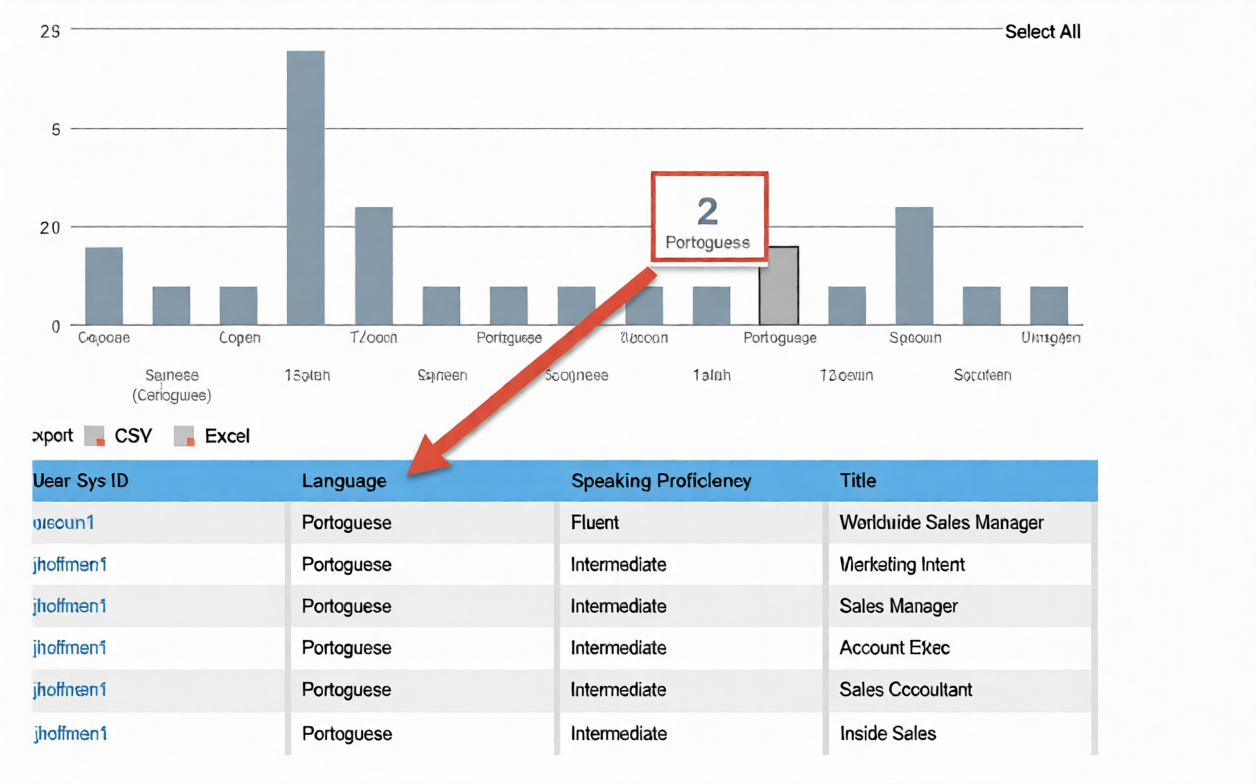
A. Configure a filter to remove the duplicate column.
B. Remove the category assignment field.
C. Change the metric calculation from Count to Count (Distinct).
D. Remove the column that would generate multiple entries per metric.
You are creating a query for a historical compensation story report in Query Designer. You have added the Job Information table to the query, configured a scope filter, and previewed the result to verify you are returning the appropriate employees. You add the related table Compensation to the query.
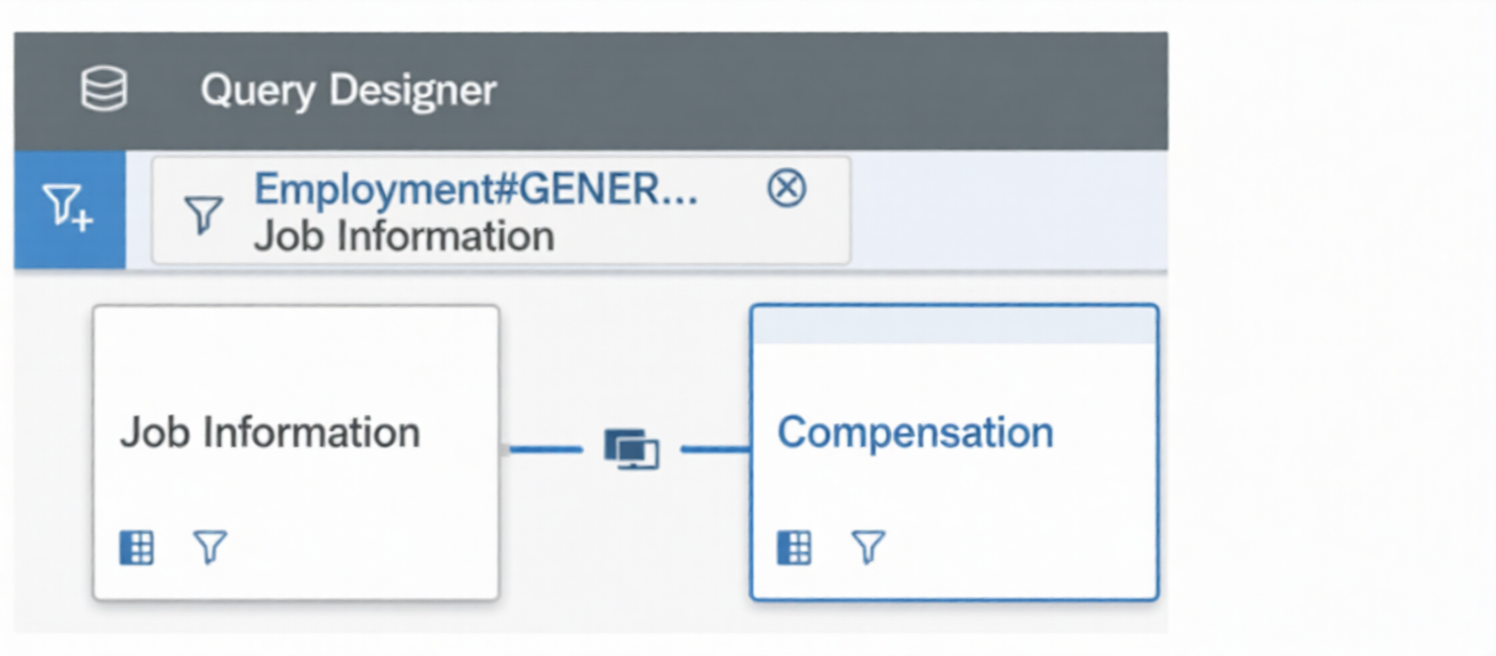
When you preview the query, you only get the current compensation information for the employees. Why do you only receive the current records? Note: There are 2 correct answers to this question.
A. The Job information table time filter is set to: As of Date > Dynamic Date: Today.
B. The compensation table time filter is set to: As of Date > Dynamic Date: Today.
C. The compensation table time filter is set to: Same Filter as First Table.
D. The Query Advanced Filter is set to: Job Information effective start date equal to Dynamic Date Today.
D. The Query Advanced Filter is set to: Job Information effective start date equal to Dynamic Date Today.
How do you configure the Builder to display the chart in the screenshot in a story report?
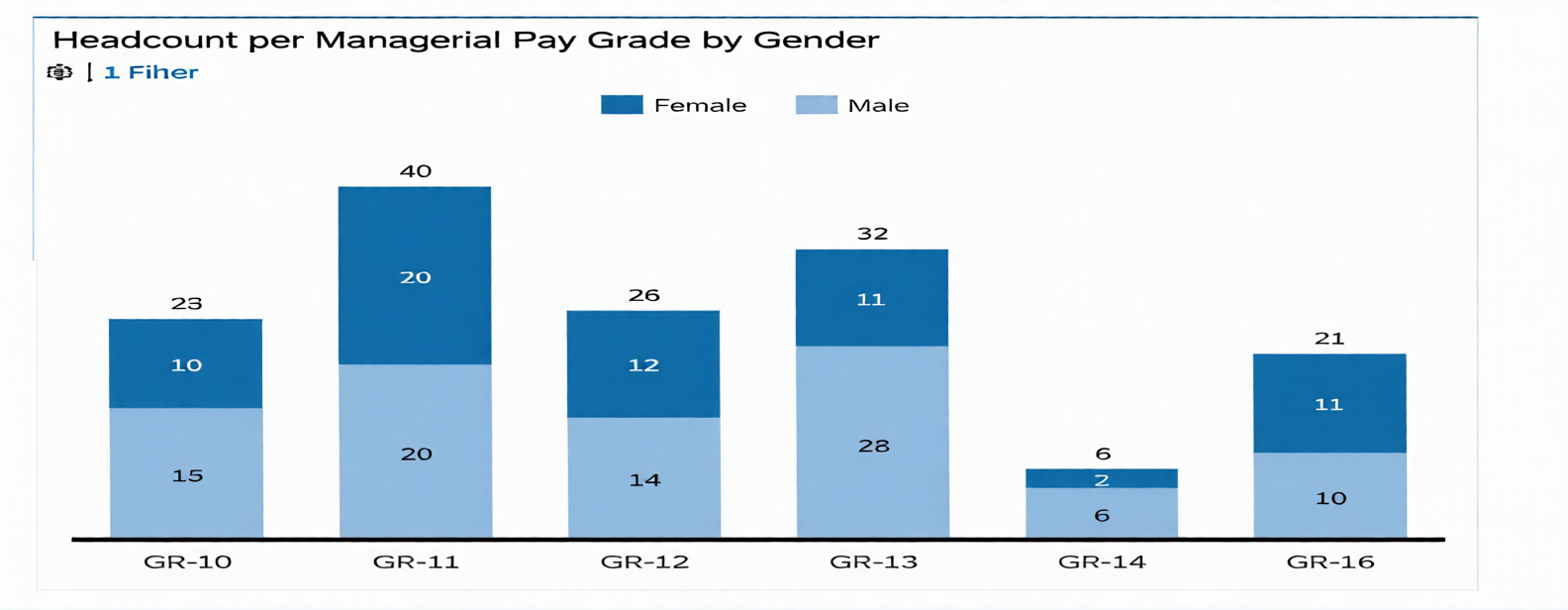
Note: There are 3 correct answers to this question.
A. Set Dimensions to Pay Grade.
B. Set Dimensions to Gender.
C. Set Color to Gender.
D. Set Color to Pay Grade.
E. Set Measures to EOP Headcount.
C. Set Color to Gender.
E. Set Measures to EOP Headcount.
| Page 3 out of 12 Pages |